Why Screen Distance Matters More Than Brightness for Tired Eyes
Quick Answer: Focusing on something close requires your eye muscles to contract and hold, and the closer the object the harder that contraction. Moving a screen from 18 inches to 26 inches meaningfully reduces that sustained effort, while brightness adjustments mostly affect comfort rather than muscular load. If your eyes ache after a workday, distance and text size are the two highest-return changes available.
The standard eye strain advice list is well known: dim your screen, use night mode, take breaks, buy blue light glasses. Some of it helps. Most of it targets the wrong mechanism.
The dominant source of screen-related eye fatigue is sustained near focus. Your eyes are doing continuous muscular work to keep something close in focus, and they are doing it for hours without variation.
What is your eye actually doing at a close screen?
Two muscular systems are working, both of them harder the closer the object is.
Accommodation. A ring of muscle inside your eye changes the shape of the lens to focus at a given distance. Focusing far away is close to the resting state. Focusing near requires active, sustained contraction — and unlike most muscles, this one gets no rest during a workday because the target never moves.
Convergence. Your two eyes rotate inward to point at a near object. Again, the closer the target, the more inward rotation is required, and it must be held precisely for hours.
Both scale with proximity in a way that is steeper than people expect. Optometrists express focusing demand in diopters, calculated as one divided by the distance in meters. At 40 cm you need 2.5 diopters of accommodation. At 65 cm you need about 1.5. That is a reduction of roughly 40 percent in sustained focusing effort from moving a monitor back about ten inches.
No brightness setting produces a change of that magnitude in muscular workload. This is why distance is the first thing to fix.
Why brightness gets all the attention anyway
Because brightness produces immediate, obvious sensation, and distance does not.
A screen that is too bright relative to the room causes glare discomfort you notice within seconds. That makes it feel like the primary problem. Distance produces a slow accumulation of muscular fatigue you only register at 4pm, by which point you attribute it to the whole day rather than to a specific cause.
Brightness does matter — but for a narrower reason than people assume. What matters is not absolute brightness, it is the contrast between your screen and the surrounding environment. A bright screen in a dark room forces repeated pupil adjustment, and a dim screen in a bright room makes you lean in, which reduces distance and makes the real problem worse.
The target is a screen roughly as bright as the wall behind it. If you have to squint or if the screen looks like a light source in the room, adjust. Beyond that, further dimming buys little.
Blue light filters are the clearest example of attention on the wrong variable. Controlled trials on blue-blocking lenses for digital eye strain have generally found little to no benefit for symptoms. They may help some people with sleep timing when used in the evening, which is a separate and real question — but they do not reduce focusing effort, because focusing effort is about distance, not wavelength.
What Nobody Tells You About Text Size
Here is the part that makes distance advice actually workable.
Most people cannot move their monitor back, because at 26 inches they cannot read the text. Then they conclude the advice does not apply to them and leave the screen where it is.
Increase the text size first, then move the screen back. Scaling your operating system’s display to 125 or 150 percent, or raising your browser and editor font sizes, restores legibility at the longer distance. You lose some screen real estate. You gain hours of reduced focusing load, which is a trade almost everyone should take.
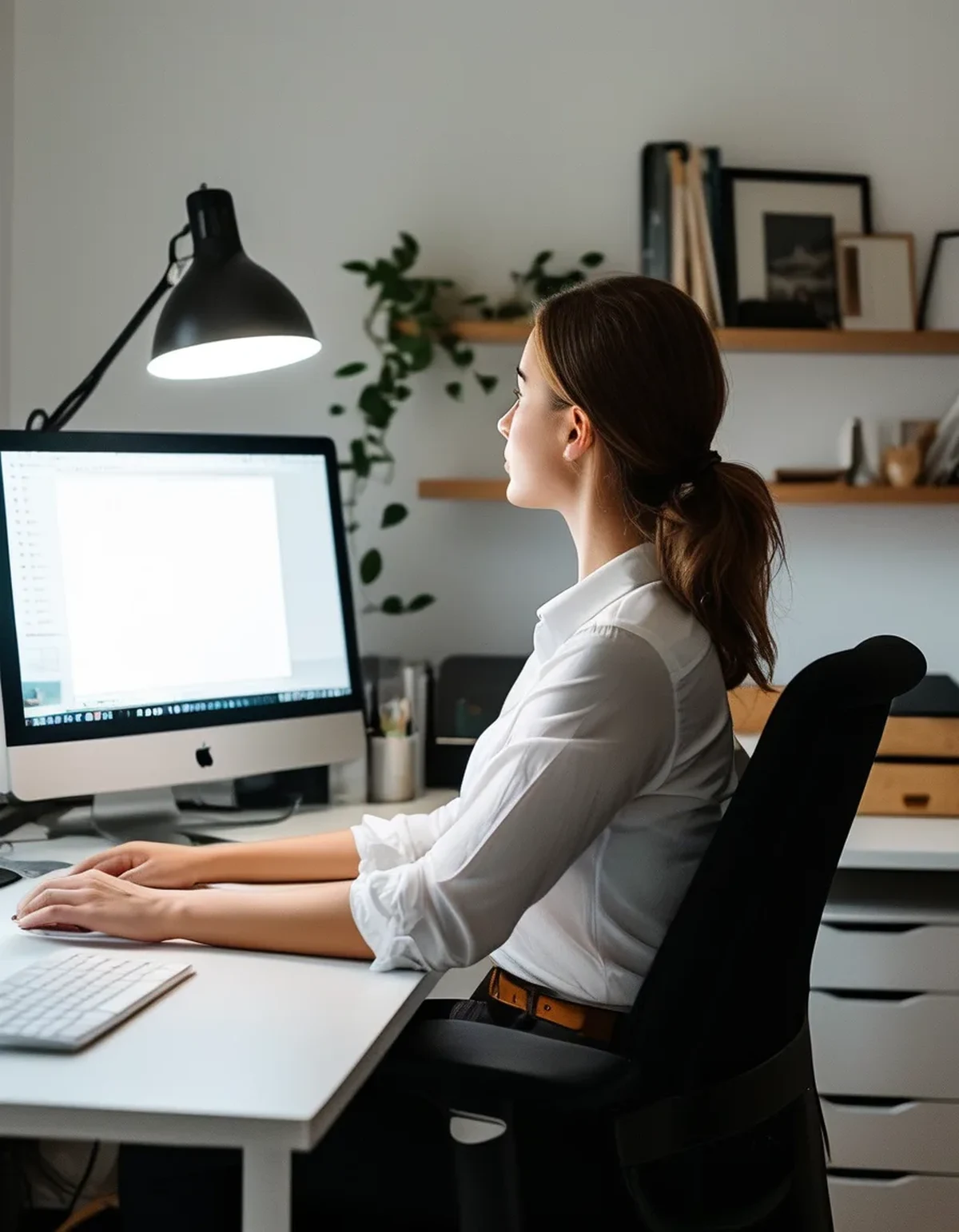
A useful calibration: you should be able to read comfortably at your working distance while leaning slightly back in your chair, not while leaning forward. If you find yourself leaning in, either the text is too small or the distance is too far — fix the text first.
The forward lean is worth watching for its own sake. It is the most reliable visible sign that a workstation is set up wrong, and it brings a second set of problems in the neck and upper back that get blamed on chairs.
One more overlooked variable: screen height. A monitor set too high forces you to open your eyes wider, which increases tear evaporation and dryness. The top of the screen should sit at or slightly below eye level, so your gaze angles gently downward and your eyelids cover more of the eye surface.
A ten-minute workstation fix
In order of return on effort.
1. Push the monitor back to roughly arm’s length or slightly more — 24 to 30 inches for most people. Measure it once rather than estimating.
2. Raise the display font size until that distance is comfortable leaning back. Do this second, not first, or you will undo step one.
3. Set the top of the screen at or just below eye level. Books under the monitor are fine.
4. Match screen brightness to the room rather than minimizing it, and eliminate direct glare — a window behind the monitor or a lamp facing the screen is worth more than any software setting.
5. Keep taking breaks, but look far away during them. Twenty seconds at twenty feet lets the accommodation muscle relax, which is the entire point. A break spent looking at your phone at 12 inches is a shorter focal distance than your monitor and does nothing for this.
6. Blink deliberately. Blink rate drops substantially during screen use, and incomplete blinking is a large part of screen-related dryness. It is unglamorous advice and it works.
If your eyes still hurt after a genuine two-week trial of this setup, see an optometrist. Persistent strain at a correct workstation is one of the more common ways an uncorrected prescription, presbyopia, or a binocular vision issue first shows up. This is general information, not medical advice.
FAQ: Screen Distance Questions, Answered
How far should my monitor be exactly?
Arm’s length is the practical rule: sit back normally and extend your arm — your fingertips should roughly reach the screen. For most adults that lands between 24 and 30 inches. Larger monitors want the far end of that range.
Does this apply to laptops and phones?
Even more so. A laptop screen is typically 16 to 20 inches away and a phone often under 12, which makes phones by far the highest-demand focusing task most people do. An external monitor and keyboard for laptop work is the single biggest available improvement.
Do blue light glasses help at all?
The evidence for reducing eye strain symptoms is weak. They are not harmful, but if you bought them expecting relief from afternoon eye ache, distance and text size are far more likely to deliver it.
TL;DR:
- Near focus requires sustained muscular work in the eye, and the demand rises steeply as distance shrinks.
- Moving a monitor from 18 to 26 inches cuts focusing effort by roughly 40 percent — no brightness setting does that.
- Increase text size first, then move the screen back, or you will not be able to read it.
- Match brightness to the room instead of minimizing it, keep the screen at or below eye level, and blink deliberately.
- Spend breaks looking far away, not at your phone.
Measure the distance from your eyes to your screen right now. If it is under twenty inches, that number — not your brightness slider — is the reason your eyes ache at four o’clock.
Keep Reading
This article is for general informational purposes only and is not medical advice. Always consult a qualified health professional for guidance specific to you.